
Upload your postcard or letter design, add a contact list, and Mailavo generates a personalized, addressed mailpiece for every recipient — then presorts, routes to a print partner, and tracks to the mailbox. No mail house, no mail merge, no spreadsheet gymnastics.

Built for campaigns
Compose is for anyone who has a mailing list and a design — whether you're promoting a sale, announcing an event, or staying top-of-mind with past customers. If you can export a PDF, you can send a campaign.
Farm a neighborhood with just-listed or just-sold postcards. Upload your design, drop in your list, and every homeowner gets a personalized piece.
Drive traffic with seasonal sale mailers, loyalty reward postcards, or win-back campaigns for lapsed customers — without touching a mail house.
Send personalized appeal letters and thank-you mailers to donor lists. Reuse the same template across multiple campaigns while swapping contact lists.
Announce a new menu, promote a grand opening, or mail grand re-opening offers to the neighborhood — a postcard campaign set up and sent the same day.
How Compose Works
Every Compose campaign follows the same straightforward flow. Here's exactly what you do — and what Mailavo handles for you.
Step 1
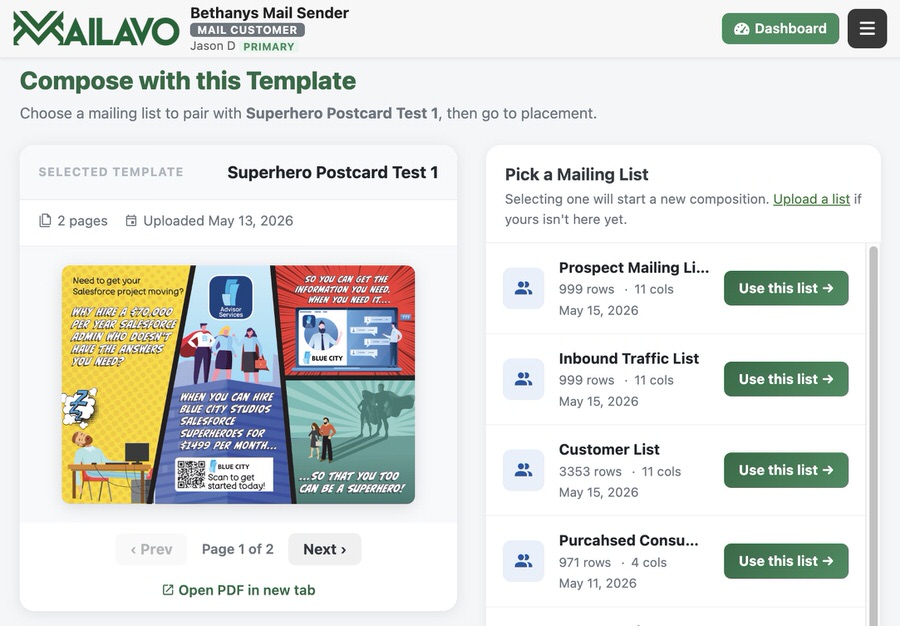
Upload a single-page postcard or letter PDF as your design template. Mailavo stores it in your template library so you can reuse it for future campaigns without re-uploading. One template can power dozens of mailings to different lists — change the audience, keep the creative.
Step 2
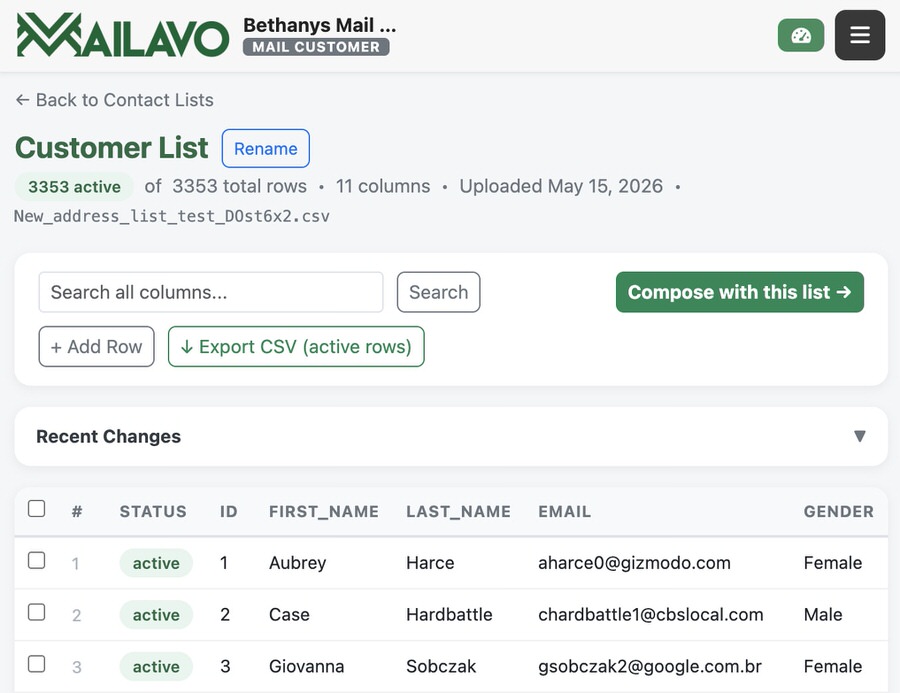
Upload a CSV with your recipients' names and addresses, or select a list you've uploaded before. Mailavo parses your columns, previews the records, and stores the list in your account for reuse across future campaigns. Got a CRM export? It probably works as-is.
Step 3
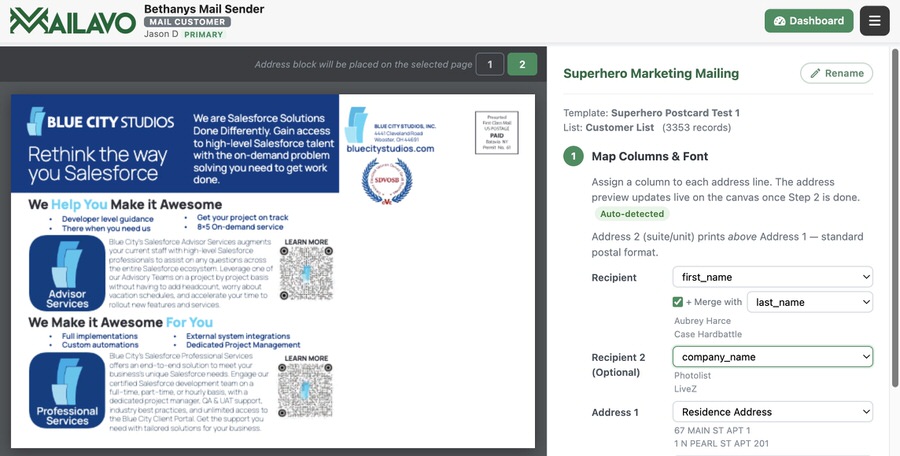
Select the template and contact list you want to pair, then use the visual placement editor to drag the address block onto your design. Mailavo shows you a live preview of your postcard with the address positioned exactly where you place it. Set it once — the placement is saved with the pairing so you never have to reposition it.
Step 4
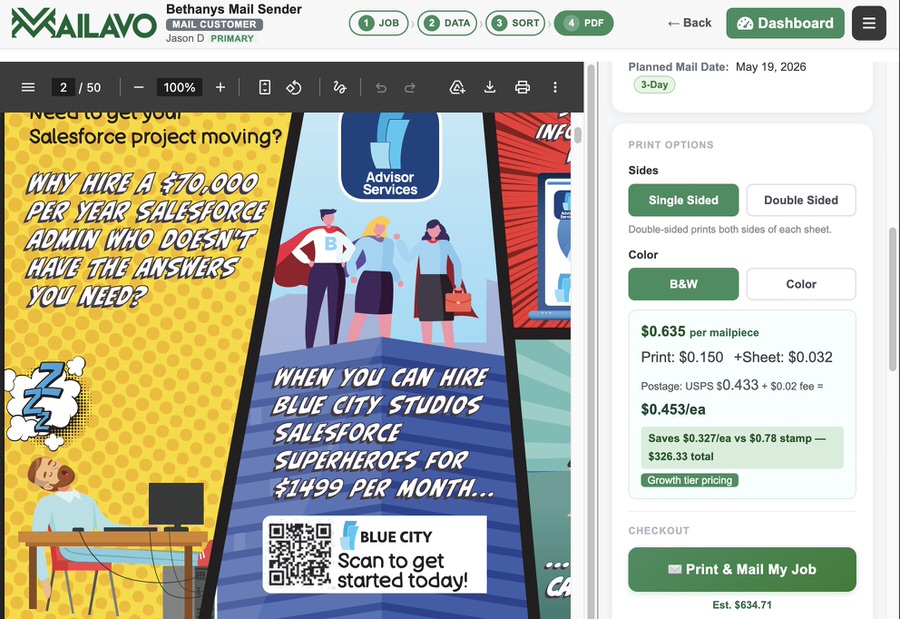
Mailavo generates a print-ready PDF with each contact's address placed on their piece. Review a sample before committing, then confirm — and the composed mailing flows into the same CASS/NCOA address cleaning, presort, cost review, and automated print partner routing as any other Mailavo job. No charges until you click Confirm.
Why not just mail-merge?
Traditional mail-merge tools stop at the PDF. You still have to find a mail house, negotiate pricing, send files back and forth, and hope for the best. Mailavo Compose goes all the way to the mailbox.
| Capability | Mailavo Compose | Mail-Merge + Mail House |
|---|---|---|
| Personalized address per piece | ||
| CASS/NCOA address cleaning included | Extra cost, often manual | |
| Presort postage discounts | Varies — often not transparent | |
| Transparent per-piece cost before committing | Requires quote turnaround | |
| Automated print partner routing | Manual coordination required | |
| Real-time job status tracking | Usually a phone call | |
| Reusable template & list library | Managed manually |
See it in action
A short walkthrough from template upload to job confirmation — under three minutes.
Create a free account and build your first Compose mailing in minutes. No credit card required to get started.
Start Mailing Free