
Whether you're uploading an existing PDF or building a campaign from a template and contact list, Mailavo handles CASS/NCOA address cleanup, postal presorting, cost review, print partner routing, per-piece delivery tracking, and presort paperwork — so you never have to deal with a mail house again.

How It Works
Every mailing on Mailavo follows the same workflow. Here's exactly what happens after you upload your file.
Step 1
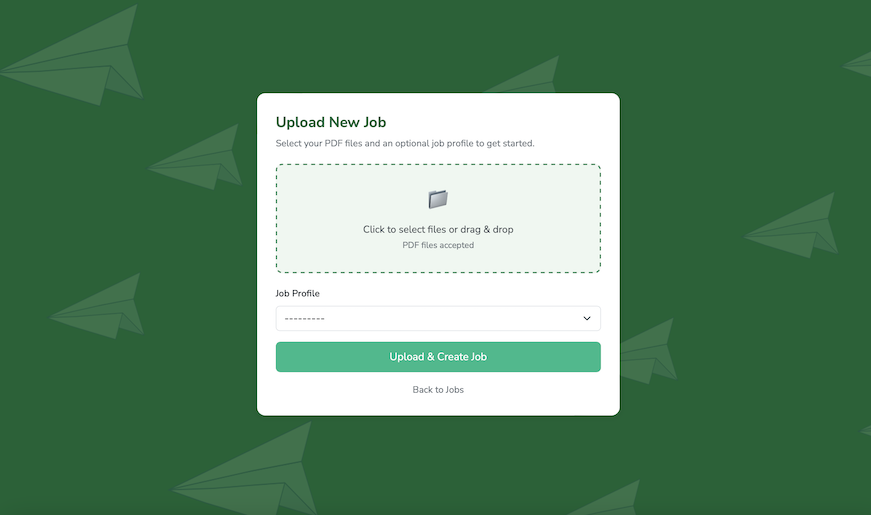
Upload a ready-to-print PDF — bills, invoices, statements, marketing letters, or any document your software outputs. Mailavo reads the address block directly from each page. No separate spreadsheet, no mail merge, no reformatting required.
Step 2
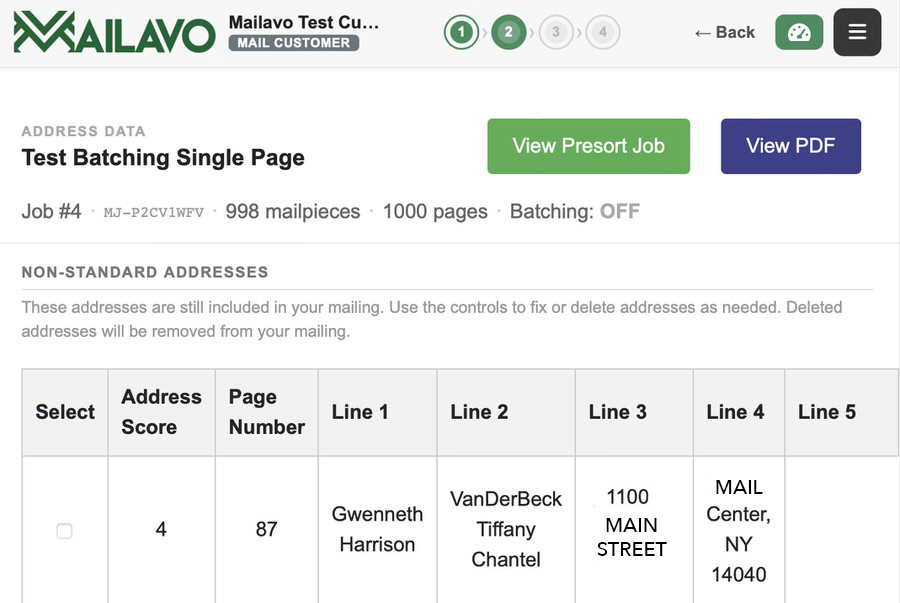
Every address is validated against the USPS delivery file (CASS certified) and updated for recent moves (NCOA). Undeliverable pieces are flagged before you spend a cent on postage — protecting your list quality and your budget.
Step 3
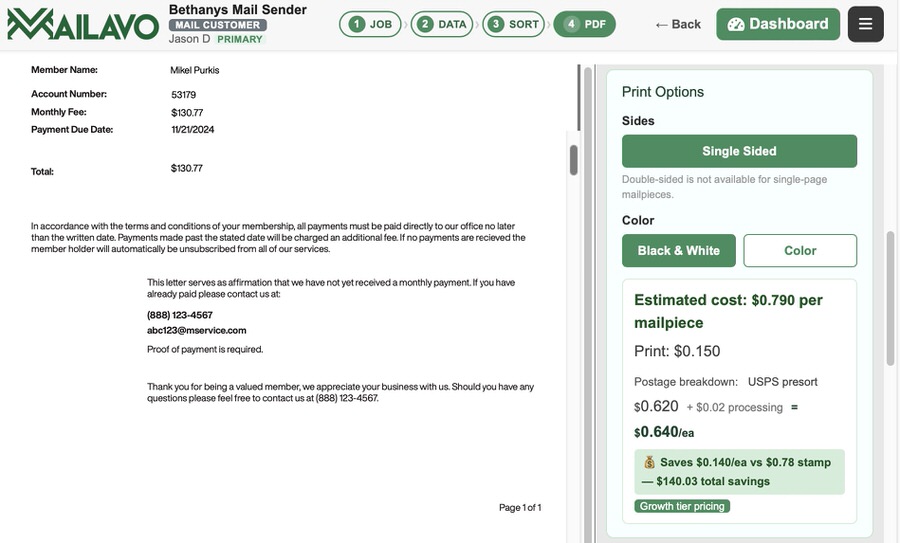
Mailavo calculates per-piece postage in real time, sorting your list by 5-Digit, 3-Digit, AADC, and Mixed AADC rates to unlock the deepest available USPS discount on every piece. Savings vary by list quality and geography, but presorted rates are always below retail First Class.
Step 4
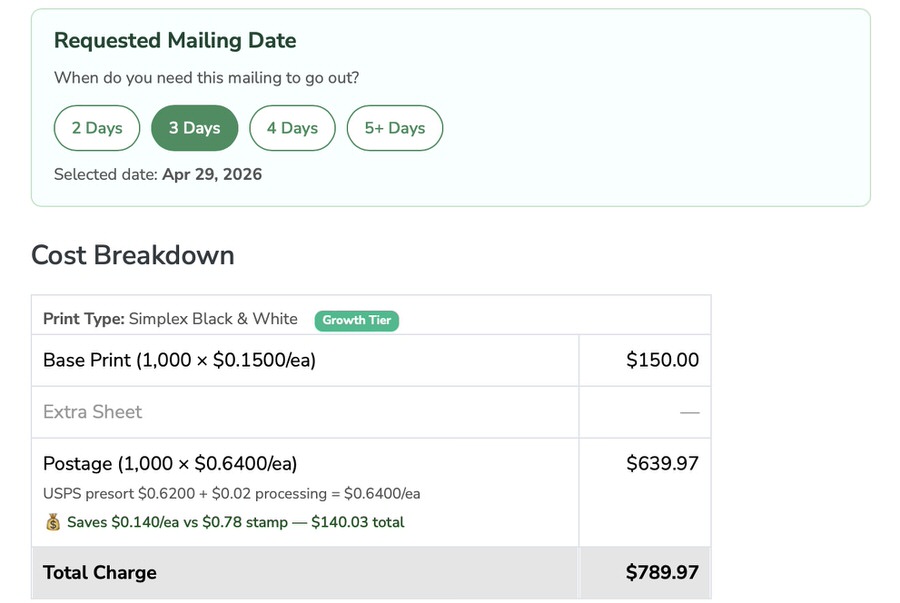
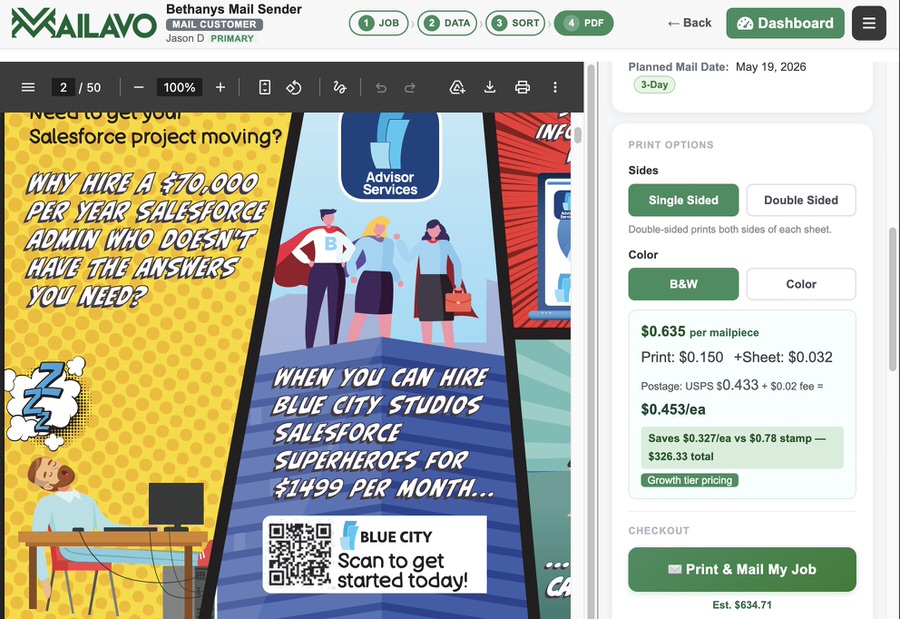
See the exact total — print cost per piece, postage per piece after presort, and any additional sheet or insert fees — before the job is submitted. Your account balance is debited only when you click Confirm. No surprises.
Step 5
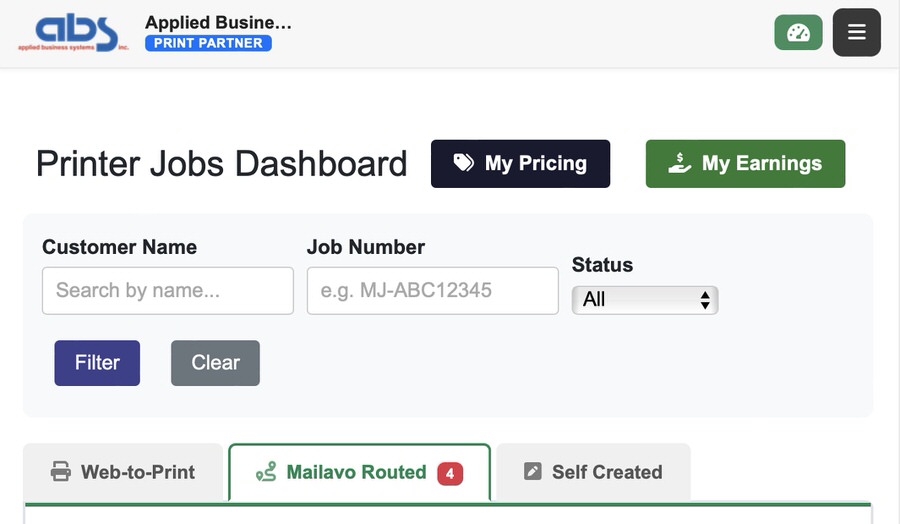
After you confirm the job, Mailavo routes it to a matched print partner based on their registered equipment, paper stocks, capacity, and SLA. You don't lift a finger. The job moves from your dashboard to a print shop's queue automatically.
Step 6
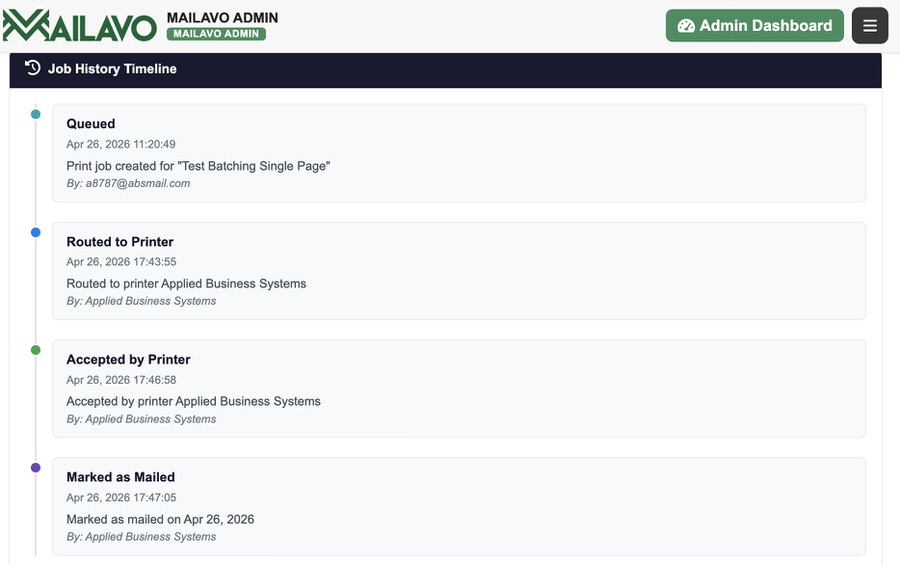
Monitor every job from Submitted → Accepted → In Production → Fulfilled. Your job history shows the full audit trail — piece count, cost breakdown, and fulfillment confirmation — with no phone calls required to find out where your mail is.
Compose
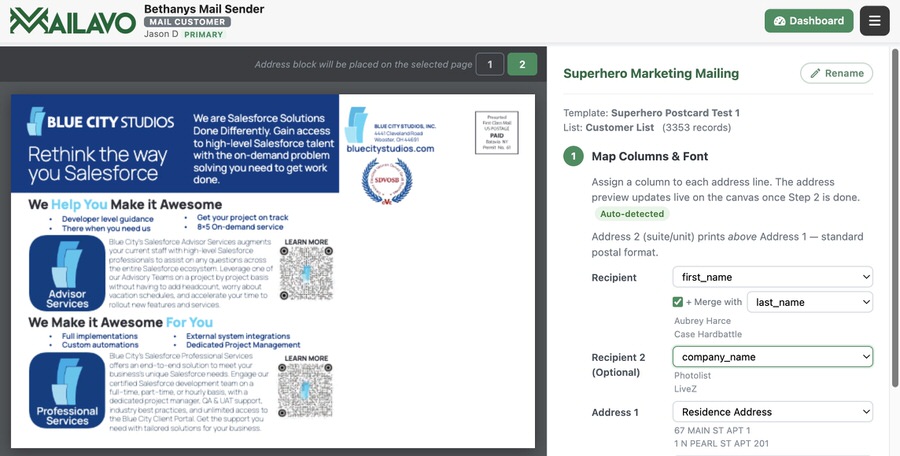
Compose is Mailavo's built-in campaign builder. Upload a postcard or letter template, add a contact list, place the address block, and Mailavo generates a personalized, addressed mailpiece for every recipient — then presorts and routes the job automatically.
Step A
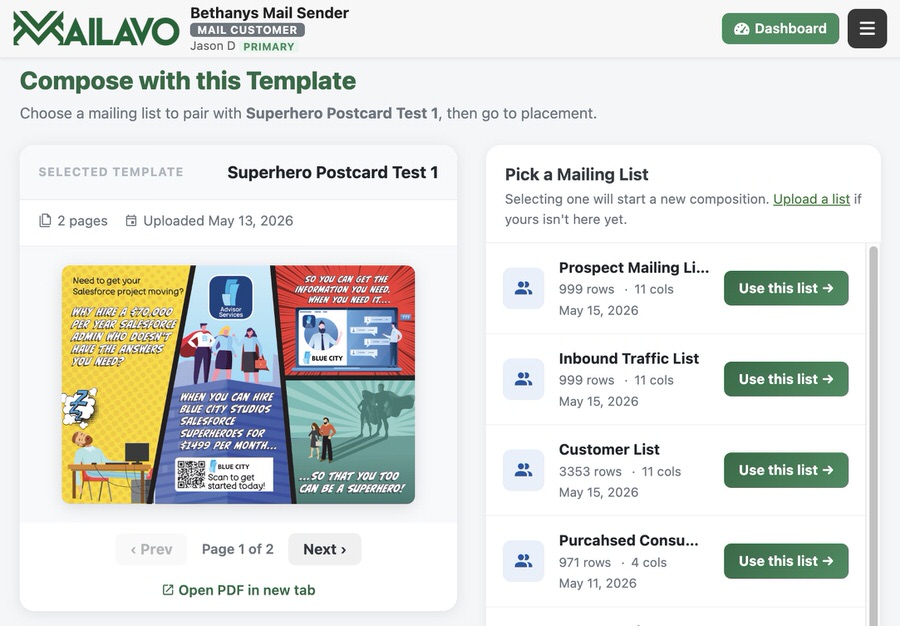
Upload a postcard or letter PDF as your design template. Mailavo stores it in your template library so you can reuse it for future campaigns without re-uploading. One template can power dozens of mailings to different lists.
Step B
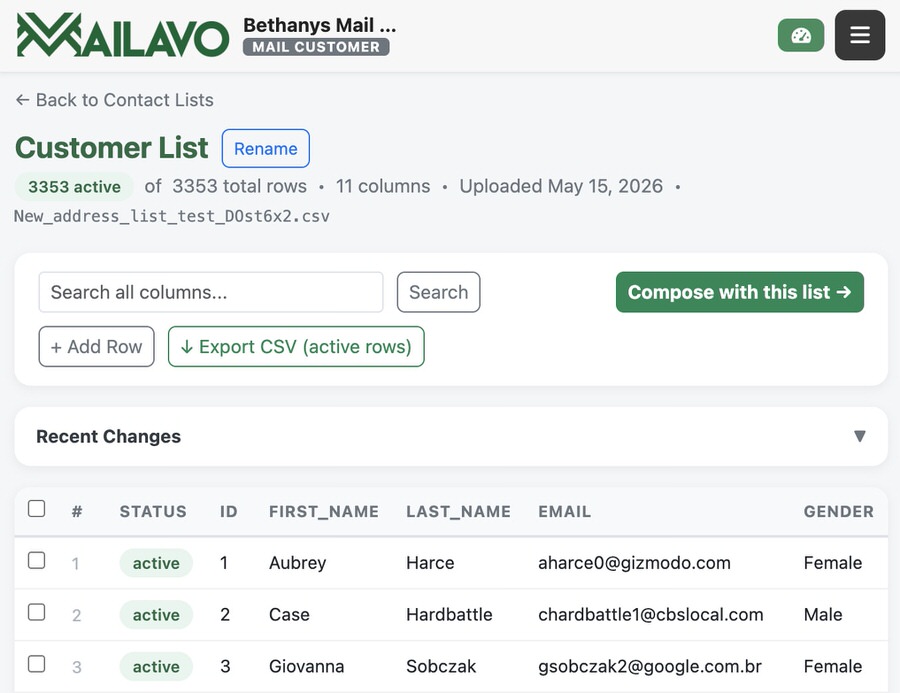
Upload a CSV with your recipients' names and addresses, or select a list you've uploaded before. Mailavo parses your columns, previews the records, and stores the list in your account for reuse across future campaigns.
Step C
Select the template and contact list you want to pair, then use the visual placement editor to drag the address block onto your design. Set it once — Mailavo applies it to every piece automatically.
Step D
Mailavo generates a print-ready PDF with each contact's address placed on their piece. Review a sample, confirm the job, and the composed mailing flows into the same presort, cost review, and print partner routing workflow as any other job.
Address Cleanup
Addresses from billing systems, ERPs, CRMs, and CSV exports rarely arrive in a clean, maileable format. Units get buried in the street field. City and state land on the same line — or get split across two. The same person appears twice with slightly different spellings. Mailavo's address engine works through every record before your job is submitted — parsing, standardizing, deduplicating, and scoring the whole list so you mail only what's clean.
Mailavo's parsing engine breaks every address down to its components: street number, street name, unit type and unit number, city, state, and ZIP. It's built for real-world input — it handles multi-line address blocks where city and state land on separate rows, unit numbers embedded in the street field ("123 Main St Ste 400"), inconsistent abbreviations, and encoding artifacts from any source system. When the local parse is ambiguous or a required component is missing, the record is automatically submitted to the USPS Address Validation API for confirmation or correction. If USPS modifies the address, the original value is preserved and the row is marked USPS Fixed.
After parsing, every address is formatted to USPS mailing standards. Proper-case rules are applied intelligently: entity suffixes like LLC, MD, and USA stay uppercase; particles like "von" and "de la" stay lowercase unless they open a name; everything else follows USPS title-case conventions. Then deduplication runs across the entire list: records are normalized and compared by street and ZIP, and any duplicates are grouped and flagged. You see which records are duplicates and can decide which to keep — you never print or pay postage for the same recipient twice.
Every list gets an overall quality score — the percentage of records that parsed clean or were confirmed by the USPS API. Every row gets a status badge: Clean, USPS Fixed, Duplicate, or Parsed Fail. From the list view you can filter by issue type, edit any cell inline, trigger a manual USPS lookup on a failed row, or soft-exclude a record from the mailing entirely. Nothing advances to presort or print until you've reviewed the state of your list and approved it.
Example Address Cleanup Report — 5,000 records imported
Numbers are illustrative. Your cleanup report reflects your actual list.
Upload your list, run Address Cleanup, and see the quality score before you submit anything. No guessing — you approve what goes out.
Start Mailing Free — Clean Your First ListMore Features
Every feature below is included — no add-on fees, no feature tiers, no hidden modules.
Include additional pages — promotional inserts, return envelopes, or informational sheets — with any mailing. Each piece in the job gets the same insert automatically.
Choose one-sided or two-sided printing and black-and-white or full color on a per-job basis. Costs adjust in real time so you always know what you're spending before you confirm.
Save your job settings — mailpiece type, envelope, paper stock, insert config — as a named profile. Reuse it for recurring mailings without re-entering the same information every time.
Invite teammates, assign admin roles, and manage multiple mailing accounts under one organization — useful for departments, mail permits, or different billing accounts.
Load your account with credits via credit card (standard Stripe fees apply) or ACH bank transfer (fees absorbed by Mailavo). Credits roll over and never expire.
Connect your billing system, ERP, or print workflow via SFTP and Mailavo pulls new files automatically on your schedule — no manual uploads, no human touch required for recurring daily or weekly mailings.
Control how long uploaded files are stored on Mailavo's servers. Set your own retention period in account settings to match your organization's data handling policies.
Save postcard and letter PDF templates for recurring campaigns. Upload a design once, reuse it across any number of contact lists, and browse your library with auto-generated thumbnails.
See when each individual piece is scanned at a USPS processing facility and confirmed delivered — piece by piece, not just a job-level status. Powered by USPS Informed Visibility (IV-MTR), the same scan infrastructure USPS uses internally.
Every job generates a complete presort paperwork package — tray tags, container labels, and USPS Form 3602 — ready for your mail entry drop. No separate presort software required.
Download press-ready imposed PDF layouts — 2-up, 4-up, 6-up — with cut-and-stack ordering so presort sequence is maintained after the cutter. Includes a finishing instructions page for the bindery.
Review your uploaded PDF and the processed output — with addresses applied — directly in the browser before confirming the job. No download required to proof your work.
Assign different paper stocks to different pieces within a single job — useful for segmented mailings, premium tiers, or jobs that mix standard and heavyweight stock in the same run.
Upload CSV mailing lists, preview records, and save them to your account. Pair any contact list with any template — no re-uploading required when you run the same campaign to a new list.
Create a free account. Upload a PDF. See the exact cost before you spend anything.